A team spent six months on a checkout redesign. The new page looked clean and modern. Then customers skipped it, and sales stayed flat.
Nobody had asked customers what slowed them down. The team guessed, and the guess cost months of design and build time. Fixing the page after launch cost even more than building it the first time.
Guessing about users is expensive. Rework after launch often costs far more than research done before the build starts. Good research turns guesses into evidence a team can check.
This guide sorts each method by the question it answers and by the stage of the project. It begins with the question the team needs answered, because that choice shapes every method after it.
Key Takeaways
- Guessing about users can cost months of rework after launch.
- Pick a research method by the question, not by habit.
- Attitudinal research shows what people say, and behavioral research shows what they do.
- Match methods to the project stage: discovery, design, or launch.
- Pair one method that explains with one that counts.
Start With the Question You Need Answered
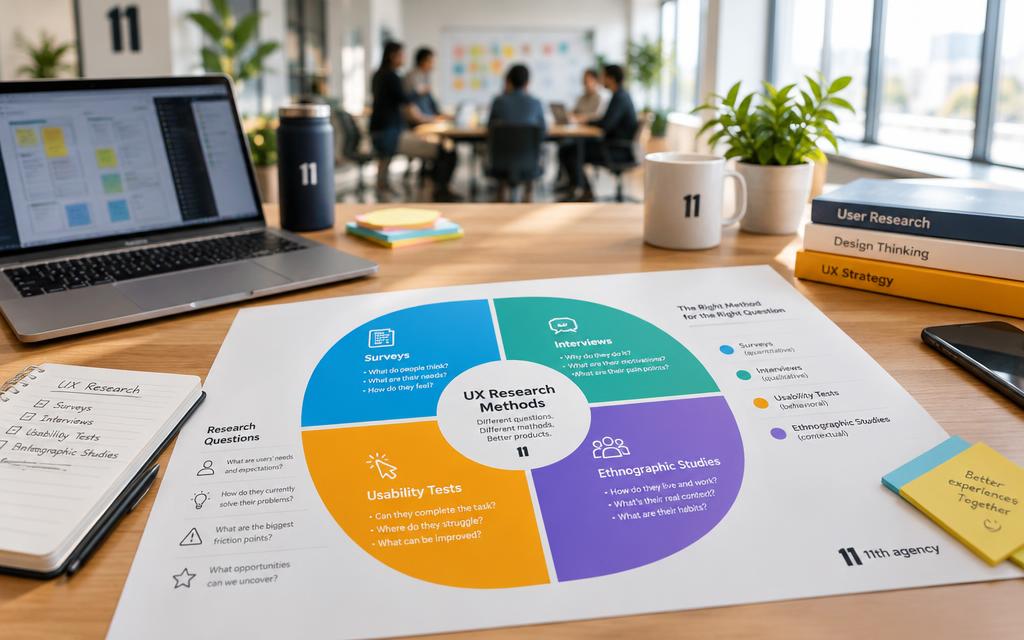
Pick the method by the question you need answered, not by habit. A question about why people leave needs a different method than a question about how many people leave. Research methods are commonly grouped along three dimensions.
The three dimensions are attitudinal or behavioral, qualitative or quantitative, and generative, formative or summative. Roughly 20 methods are commonly mapped across these dimensions. Formative research is research done during design to find what to improve before launch.
| Dimension | Question it answers | Data form | Example method |
|---|---|---|---|
| Qualitative | Why people act this way, and how to fix it | Words and observed actions | One-on-one conversation |
| Quantitative | How many people do something, and how much | Numbers from a fixed instrument | Fixed-question questionnaire |
| Attitudinal | What people say they think or want | Stated opinions | Questionnaire with rating scales |
| Behavioral | What people actually do | Recorded actions | Click and page-visit logs |
Attitudinal or behavioral: what people say versus what people do
Attitudinal research asks what people say about their needs and opinions. Behavioral research watches what people do. People often say one thing and do another.
A shopper may say a site is easy to use. Yet that same shopper may leave the cart on the second step. Watching the action shows the real problem.
Qualitative or quantitative: why versus how many
Qualitative research gathers data from observing or hearing users directly. It answers why people behave a certain way and how to fix the issue. Quantitative research gathers numbers through a fixed instrument, such as a survey or a click counter.
Quantitative data answers how many people struggle and how much it matters. It does not explain the cause. A survey can count the problem, but only listening to users can explain it.
A survey can count the problem, but only listening to users can explain it.
Asking a survey to explain why is a common mistake. People give short answers to closed questions, and those answers rarely reveal the reason behind a choice.
Generative, formative or summative: where the project stands
Generative research is early discovery, done before a team knows the answer. Formative research improves a design while it is still in progress. Summative research measures a finished product.
A team at the start of a project asks what users need. A team with a working prototype asks what to fix. A team after launch asks whether the product does its job.
Each stage has its own realistic set of methods. The stage of the project decides which of them a team can use.
Which Ux Research Methods Fit Each Stage of a Project
Each stage has a dominant question and a small set of methods that answer it. Early work asks what users need. Design work asks whether the design works. Launch work asks whether the product is doing well.
Early discovery usually relies on interviews, field studies, diary studies and surveys. Design work usually relies on card sorting, tree testing and usability testing. Launch and assessment usually rely on benchmarking, analytics and A/B testing.
| Stage | Research goal | Typical methods |
|---|---|---|
| Discovery | Find real user needs and problems | Interviews, field studies, diary studies, surveys |
| Design | Check structure and tasks before building | Card sorting, tree testing, usability testing |
| Launch and assessment | Measure results and track change over time | Benchmarking, analytics, A/B testing |
Teams that want to see how research feeds real projects can browse the featured design projects from 11th Agency. The portfolio covers product design, websites and mobile apps.
Most projects benefit from combining methods. One method rarely answers every question at every stage. The sooner a team tests with real people, the cheaper each change becomes.
Qualitative methods usually open discovery, and the first of them is the one-on-one conversation.
Interviews, Focus Groups and Field Studies
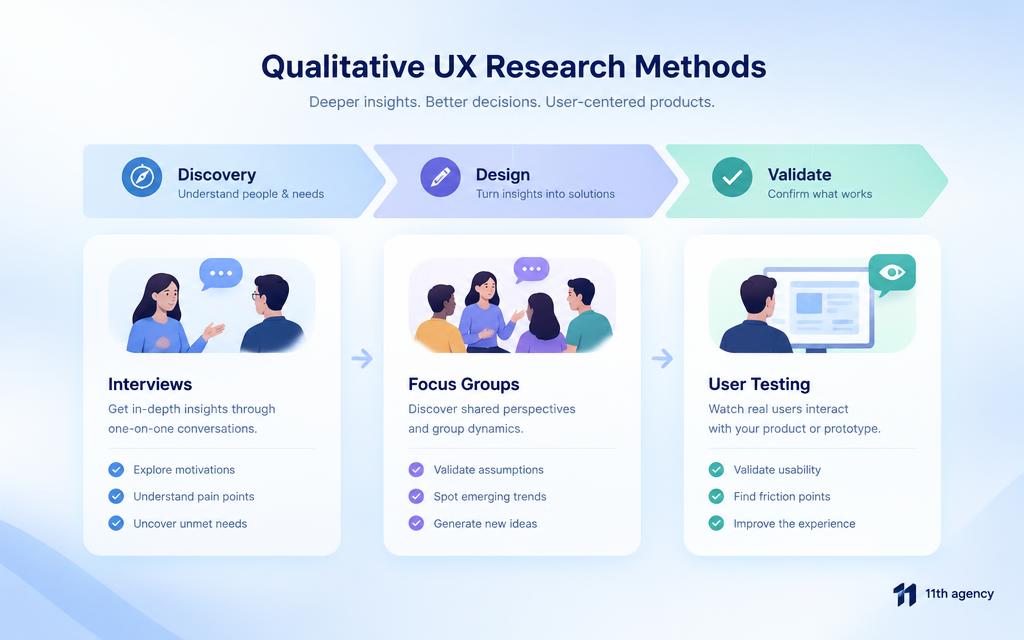
Interviews usually run with one participant at a time. A participant is the person taking part in a study. Focus groups usually bring together about 5 to 10 participants, and field studies observe people in their home or work setting.
A team interviewed five customers and learned the real problem was different from the one it had assumed. The customers did not struggle with price. They struggled to find the right product size. The interviews changed the plan before any design work began.

Each discovery method reveals something different:
- Customer interview: personal goals, past choices and daily frustrations.
- Focus group: the range of opinions and how people talk about a topic.
- Field study: real habits, tools and workarounds in the place where work happens.
- Stakeholder interview: what the team and its managers believe about the problem.
Focus groups reveal what people say, not what they do. Group talk can favor the loudest voice. Teams should check group opinions against observed behavior.
Field studies can change the behavior they watch. The Hawthorne effect describes people who act differently when they know they are being watched. A researcher should stay long enough for people to act normally.
Once a team has the stories, it needs a way to ask the same questions of many people.
Surveys and Diary Studies Over Time
Surveys measure attitudes at scale, and diary studies show behavior over time. A survey asks many people the same questions. A diary shows what one person does across days.
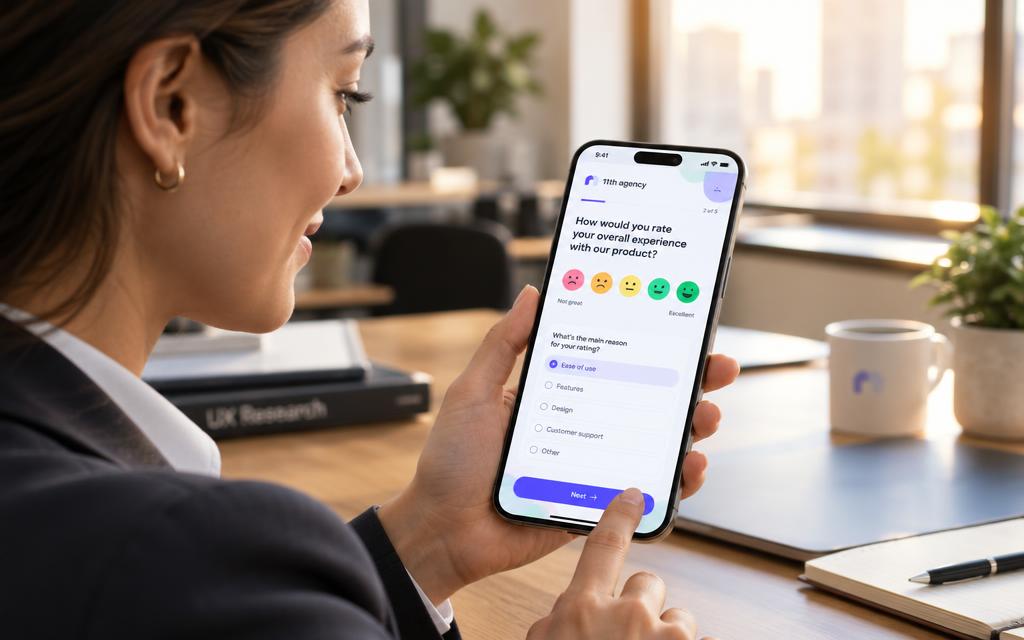
Closed questions produce quantitative data, while open questions produce qualitative data. Surveys sit between the two, so a few open questions can help explain the numbers. Surveys can also follow up on user interviews by checking whether a pattern holds for many people.
Writing survey questions that avoid leading answers
Leading questions push people toward one answer. The question “How likely are you to buy this?” invites a guess about the future. Ask “Have you ever bought a product like this?” instead, because it asks about past actions.
Use plain words and one idea per question. Place open questions last, so people answer the closed questions without a hint from the wording.
Running a diary study without losing participants
Diary studies are typically run over a couple of weeks. Participants record what they do at set moments. This shows routines and changes that a single interview often misses.
Triggers tell participants when to write an entry:
- Interval: a set time each day, such as every evening.
- Signal: an alert that goes off at random times.
- Event: a new entry each time a certain task happens.
Diary studies depend on participant motivation. People stop writing when entries feel like homework. Keep each entry short, and watch for drop-off in the first few days.
Surveys and diaries show what people think and what they do. Methods that test a design with real tasks come next.
Usability Testing, Tree Testing and Card Sorting
Usability testing with five users reveals most major issues in a design. The test asks people to complete real tasks while the team watches. Each failed task points to a specific problem.
A participant cannot find pricing in under a minute. The team then learns that the menu label is wrong. The fix is a clearer label, not a new layout.

Tree testing checks findability. Participants see a text-only version of the site menu and try to locate items. A tree test usually lasts about 15 to 20 minutes and includes no more than ten tasks.
Tree testing measures findability, not visual design. A menu can work well in plain text and still fail once colors and icons are added. Teams that need help with structure and navigation can look at the web design services from 11th Agency, which include information architecture and UX testing.
Card sorting asks participants to group topics into categories. It can be open, hybrid or closed:
- Open card sorting: participants create and name their own groups, which helps find category names.
- Hybrid card sorting: participants sort into set groups and may add new ones, which suits a partly known structure.
- Closed card sorting: participants sort into fixed groups only, which tests a menu the team has already planned.
Once tasks work, the team can measure how people behave across much larger groups.
Measuring Behavior With Analytics and A/B Testing
Analytics shows where users leave, but not why. Analytics tools count visits, clicks and exits across a site or app. They reveal patterns that a small test may miss.
Analytics requires the site or app to be set up in advance. The team must add tracking code before any data exists. Without that setup, the past behavior cannot be measured.

A checkout funnel may show that many buyers leave at the shipping step. The data stops there. The team may guess that shipping costs scare buyers, but only a test or a conversation can show the cause.
A/B testing randomly assigns visitors to version A or version B. It shows which version performs better on a chosen goal. The test needs enough traffic to be meaningful, so a site with few visitors may need weeks to finish one test. Teams that want to improve results can read this guide on improving conversion rate through user experience.
Do not read a single test result as final. Run the test again or watch the trend over time. A result that holds across several weeks is more reliable than one strong day.
Live numbers show scale and drop-off, but they still need a measure of attention and ease. Those are the next things to examine.
Eye Tracking and Benchmarking Usability
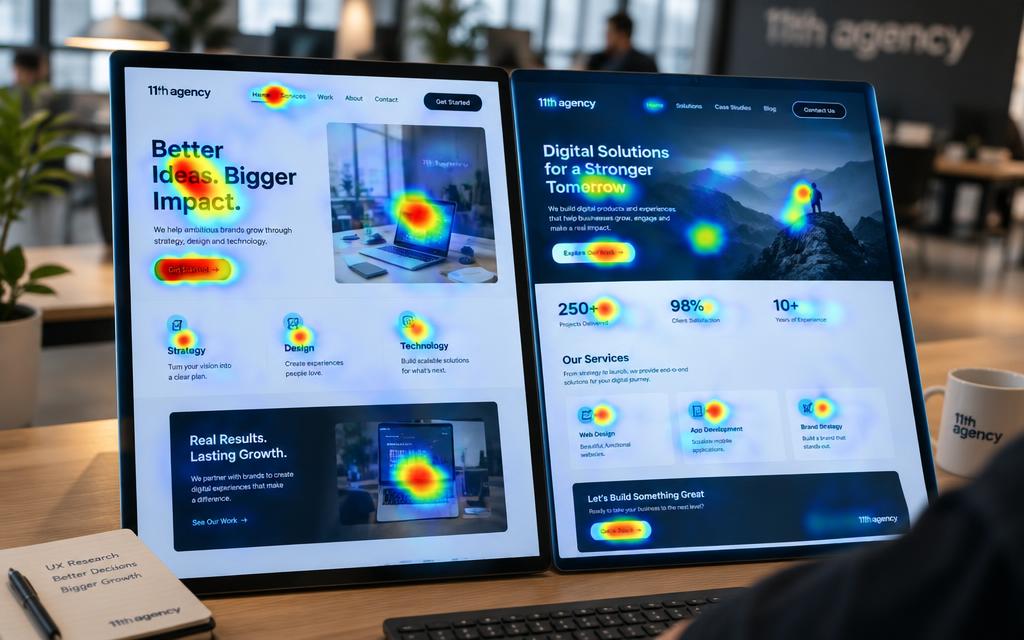
Eye tracking shows where attention goes on a page. Usability benchmarking tracks how ease of use changes over time. Both methods measure things that clicks alone cannot show.
A team compares two layouts for a product page. Eye tracking shows that users never reach the lower button on the second layout. The button is in place, but people do not look that far down.
| Method | What it measures | When to use |
|---|---|---|
| Eye tracking | Where people look and in what order | Comparing two layouts or a crowded page |
| Usability benchmarking | Task success, time and ease across repeated tests | Tracking improvement or comparing competitors |
| Think-aloud usability test | What users think while they try a task | Finding the reason behind a failed task |
Eye tracking can be natural or scripted. In a natural setting, participants use the site as they normally would. In a scripted setting, they follow set tasks while the device records their gaze.
When eye tracking answers a question that clicks cannot
Clicks show what people chose, not what they noticed. Eye tracking shows which elements drew a look and which were ignored. A button that gets no looks may fail, even when the click path seems fine.
Eye tracking needs equipment and careful setup. Use it on a few key screens, not on an entire product.
Usability benchmarking with larger samples
Benchmarking studies are tightly scripted so results stay consistent across participants. Every participant gets the same tasks, the same wording and the same time limits. This makes the results comparable.
Benchmarks track improvement over time or compare a product with competitors. A team may test a product, change it, then test again with the same tasks. The before and after numbers show whether the change helped.
Benchmarks show whether a product is improving. Combining methods gives the full picture.
How to Combine Methods Without Wasting Budget
Pair one method that explains with one that counts. A qualitative method reveals why a problem happens. A quantitative method shows how many people it affects.
Nearly all projects benefit from more than one method. Many teams use only the one or two methods they know best. A clear UX research process starts with the question and then picks methods to answer it.
- Step 1: Define the question. Write the single decision the team must make.
- Step 2: Pick two complementary methods. Choose one that explains and one that counts.
- Step 3: Run both methods. Keep the tasks and topics the same across them.
- Step 4: Combine the findings. Note where the results agree and where they disagree.
Numbers set priority, while observation explains the fix. A survey may show that a checkout step fails for many people. Interviews show what confuses them and suggest a fix.
Once the fix is clear, a team may hand the build to a partner. The web development services from 11th Agency focus on user-friendly interfaces and research-backed solutions.
Choosing the right tool for each method is the next decision.
Choosing UX Research Tools and Analysis Methods
Unmoderated tools collect data without a researcher present. Participants complete tasks alone, on their own time, while the software records what happens. Moderated setups differ because a researcher guides each session live.
Choose a moderated setup when the team needs follow-up questions. Choose an unmoderated setup when it needs many results quickly. Both suit common UX research tools.
| Tool type | What it records | Best use |
|---|---|---|
| Unmoderated testing platform | Task success rate, task time and perceived ease | Quick checks with many participants |
| Session recording tool | Screen activity, clicks and mouse movement | Spotting where people struggle on a live site |
| Video call software | Live talk and shared screens | Moderated interviews and live usability sessions |
Unmoderated platforms report success rate, task time and perceived ease. These are numbers, so they suit quantitative analysis. Session recordings add context, but the team must still watch them.
Qualitative analysis is not mathematical. Researchers read notes, watch recordings and group similar comments into themes. Quantitative analysis counts and compares numbers. Good UX research analysis methods keep these two kinds of analysis apart.
Teams that want outside help with discovery, testing or design can review the UI/UX services from 11th Agency. The list includes UX testing, research and prototyping.
Tools record what happened. The mistakes that undo good research come from how a team uses them.
Mistakes That Lead to Assumption-Based Decisions
A team ships a feature after one friendly demo, and support tickets pile up within a week. The demo felt positive, so nobody tested the feature with real customers. The fixes then cost more than the test would have.
A team skipped usability testing before a signup redesign. After launch, customers struggled with the new form. The team spent months on rework that a few sessions could have prevented.
- Testing only with friends: friends know the product and want to help, so their feedback is biased.
- Asking leading questions: wording that favors one answer produces data that confirms the team’s hopes.
- Using one method only: a single method rarely answers every question about users.
- Ignoring results that contradict the team’s view: the data may be right, even when it is unwelcome.
Testing only with friends gives a false sense of safety. Coworkers and friends know the product well, so they do not act like new customers. Their feedback rarely matches what strangers do.
Ignoring unwelcome results is the most costly mistake. A team that drops the results it dislikes keeps its assumptions.
Research that only confirms the team’s view is just a guess with extra steps.
Avoiding these mistakes sets up the last step, which is a clear decision and one method to answer it.
Conclusion
The right research method follows from the question. A team that knows what it needs to learn can pick the method that answers it. Research done early costs far less than rework after launch.
This week, write down the single decision the team needs to make. Then choose one method that answers that decision and run it with real users. A small test now can save months of guessing later.