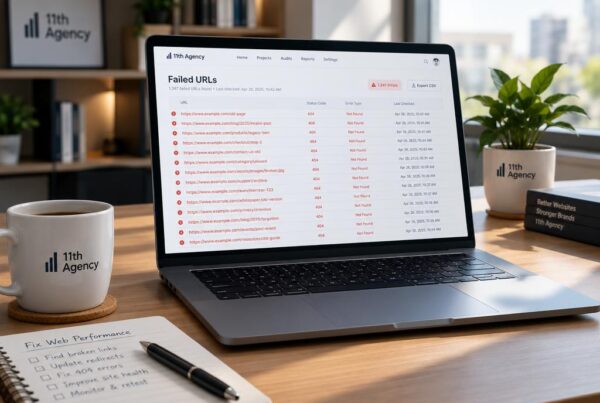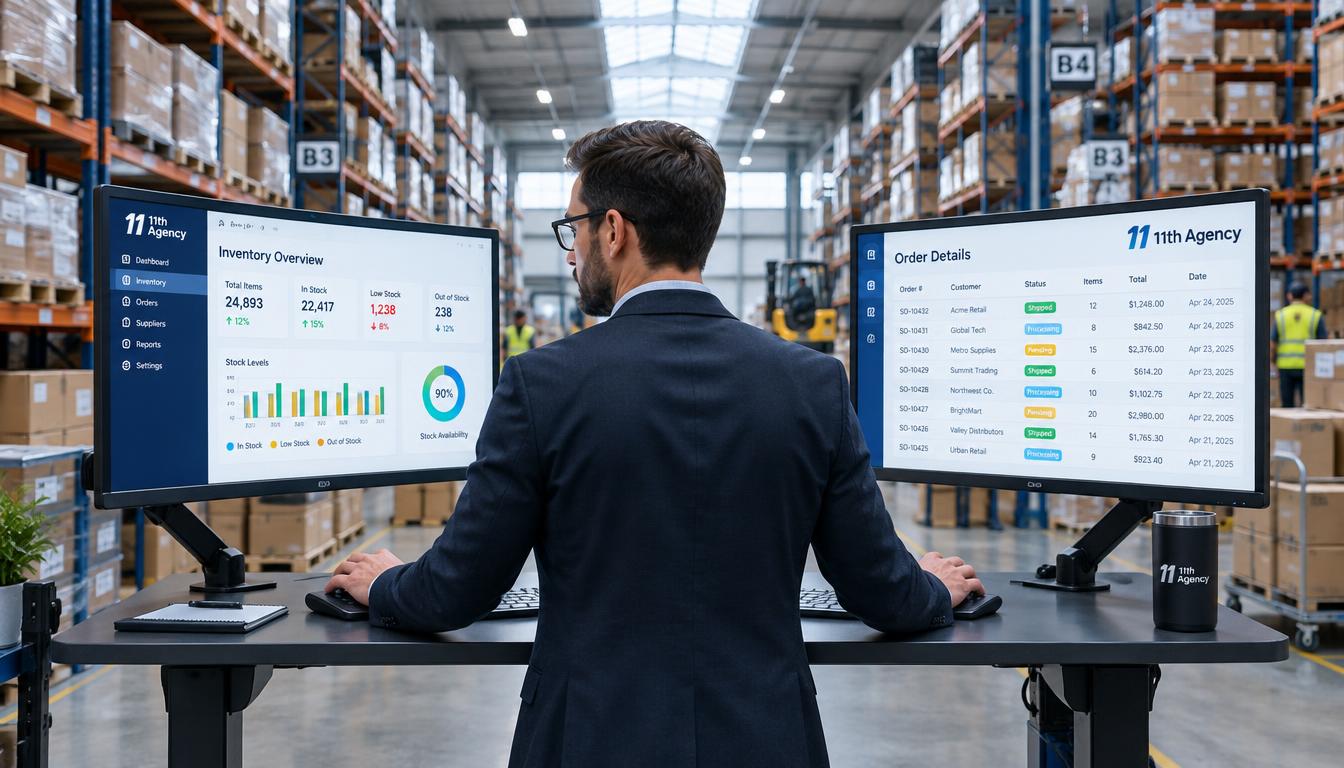
Every morning, a warehouse manager types the same customer order into two screens. Her oldest system cannot share data with the newer app, so the double work never ends. A core system that cannot share data is now a real limit on the business.
Old software slows down releases, leaves gaps in security and makes hiring harder. Few new workers want to learn tools that their own company is trying to replace. Waiting also costs money, and the cost of waiting usually grows larger than the cost of acting.
The legacy barriers to integration hold back business growth in many companies. Leaders weighing a change need clear facts before they spend money. Three questions matter most here: what the work changes, why waiting costs more, and how to choose a path.
Key Takeaways
- Legacy systems often block data sharing, fast releases and hiring.
- Enterprise app modernization changes architecture, infrastructure, code and interfaces.
- Each application needs its own path among the seven R options.
- Assessment and clear goals come before any technical choice.
- Costs rise fastest when integration work is left out of the estimate.
- Security gaps are a strong reason to act now, not later.
What Enterprise Application Modernization Means for Your Systems
Enterprise application modernization is the work of updating older business software so it fits how the company runs today. It changes the architecture, infrastructure, code and interfaces of an application. It does not mean throwing everything away.
Application modernization is a planned change, not a single upgrade. The enterprise picks which parts to change and which parts to leave alone. Technical debt is the future cost created when quick fixes, custom code and postponed upgrades make a system harder and more expensive to change.
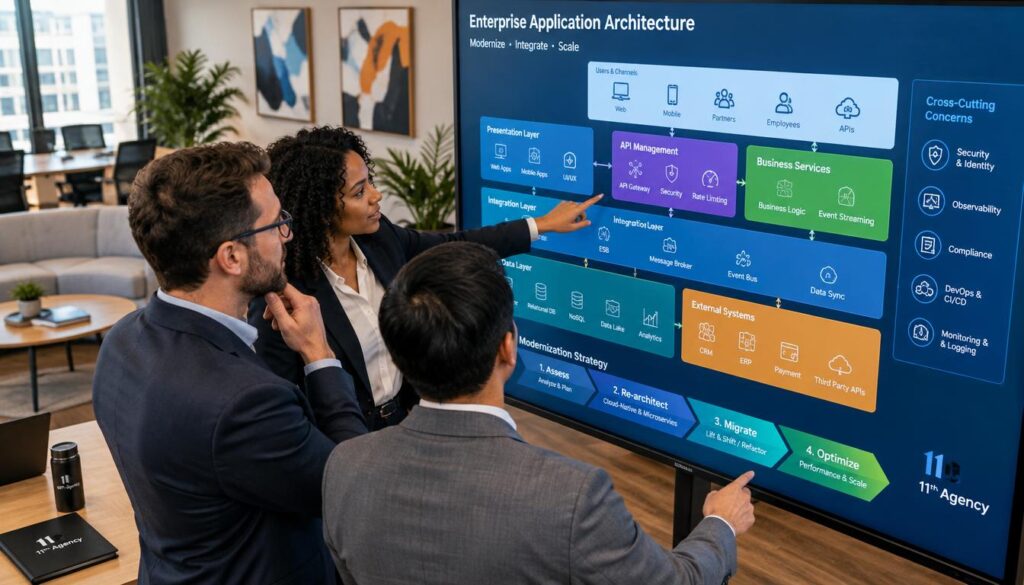
Architecture, Code, Infrastructure and Interfaces
Architecture is how the parts of an application connect, and code is the logic inside those parts. Infrastructure is the servers, storage and networks the application runs on. Interfaces are the points where people and other systems reach it.
Interface work often gives staff the fastest win. A claims clerk who sees one clean screen instead of six can finish files faster. Many teams review interface design projects before they draw new screens.
Keeping What Still Works
Keeping stable parts is part of the method, not a failure of it. A payroll module that runs without errors may need only a new link to the rest of the system. Keeping it saves money and lowers the risk of breaking pay runs.
The best plans draw a clear line between the parts that block growth and the parts that still work.
Change the parts that block growth. Keep the parts that still work.
Organizations cannot delay this work for long. Old parts age, experienced staff leave, and every year of deferred change adds to technical debt.
Why Legacy Systems Block Integration and Growth
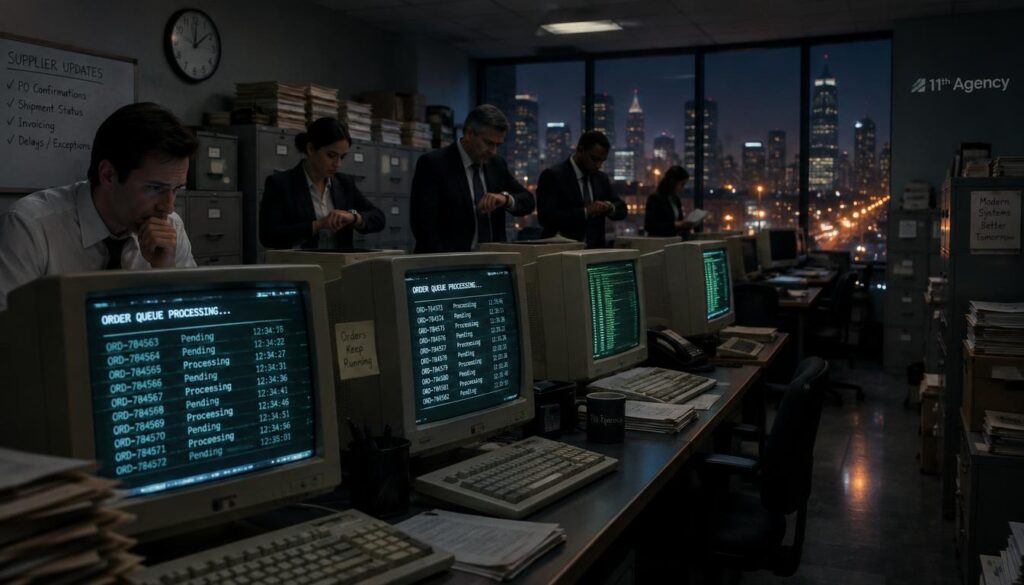
A batch system that runs at midnight cannot send an order to a supplier portal in real time. The supplier waits until the next morning, and the sale slips by a full day. Many legacy systems were built this way, for a world of nightly processing.
The barriers fall into five groups. Each one slows integration, scaling or security in its own way.
- Batch-only processing: data moves once a day, not as it happens.
- Proprietary connectors: links that only one vendor’s tools can build or change.
- Unsupported platforms: operating systems or databases that no longer get security patches.
- Fixed capacity: servers that cannot add power when sales spike.
- Manual data transfer: staff copy files between systems by hand.
Enterprise application services are the software and support that run core operations, such as finance, HR and customer records. When these services sit on a legacy platform, every new link needs custom work. That is why system integration often takes months instead of weeks.
Every workaround adds staff hours, and those hours add up fast. Keeping old links alive also raises the odds of an outage at a bad time. Standing still has a price, and it shows up in the budget every year.
Choosing Among the Seven R Strategies
Each application needs its own R choice. The seven R options are rehost, replatform, refactor, rebuild, replace, retire and retain. The right pick depends on how much the application matters to the business and how well it works now.
A sound application modernization strategy starts with one question for each application. The table below shows the five options that change the most code or platform.

| R option | What changes | Risk | Typical fit |
|---|---|---|---|
| Rehost | Same application on new servers, with little code change | Low | Stable apps with little planned change |
| Replatform | Small platform changes, such as a managed database | Low to medium | Apps that need cheaper hosting fast |
| Refactor | Code is rewritten, and features stay the same | Medium | Apps that change often and must keep running |
| Rebuild | New app built on a modern design with the same goals | High | Apps with poor design but clear business value |
| Replace | Old tool swapped for a commercial or SaaS product | Medium | Common functions such as HR or CRM |
Rehost, Replatform and Refactor
Rehost moves an application to new servers with little or no code change. Replatform makes small changes, such as moving the database to a managed service. Refactor rewrites parts of the code while the features stay the same.
Rehosting is fast, but it leaves old design problems in place. Refactoring takes more time and skill, and it suits applications that must keep running while they change. Teams planning app modernization on Azure often test a rehost first, then decide whether a deeper change is worth the cost.
Rebuild, Replace, Retire and Retain
Rebuild writes the application again on a modern design, which takes the most time. Replace swaps the old tool for a product that already exists. Retire switches the application off, and retain leaves it as it is for now.
Replacing an application with SaaS usually means moving a function that does not set the company apart, such as HR or customer relationship management, to a subscription product. Some teams hire a SaaS app development company to plan and test the move.
The choices turn into a plan once the team knows what each application really does. That is where assessment starts.
Where Modernization Starts: Assessment and Business Goals
Modernization starts with an inventory of every application and goals that can be measured. A CFO once asked what one old system cost each year, and nobody had a clear answer.
An application modernization assessment checks each system against five tests.

- Application age: how many years since the last major change.
- Uptime: how often the system stays available each month.
- Maintenance effort: hours spent on fixes and patches.
- Integration gaps: links that are missing or done by hand.
- Business value: how much revenue or daily work depends on it.
Uptime and time to recovery give hard evidence. A system that is down for hours each month, or takes a full day to restore, has a clear problem to fix.
Modernization objectives set the target for the work. A goal such as cutting monthly fix hours in half can be measured after each release. Goals like that give the team a finish line.
Those goals give the budget a target, and a target is what the cost estimate needs.
Costs, Budgets and Return on Investment
The enterprise application modernization cost climbs fast when integration work is left out of the estimate. Modernization budgets often run 30 to 50 percent over initial estimates when integration complexity is missed. Careful planning of that work is the best defense against overruns.

Why Business Cases Stall
Business cases stall when the benefits look soft. Direct value includes lower hosting bills and fewer outage hours. Indirect value, such as faster launches, is harder to put a number on.
Leaders often want one clear number, and that number is hard to give. Showing the direct savings first makes the case easier to approve. The indirect gains can follow as proof builds.
Cost Factors That Push Budgets Over
Integration complexity is the largest hidden cost. Every link to another system needs testing, and old links often break when new parts arrive.
Data cleanup takes time because old records may be duplicated or wrong. Retraining staff pulls people away from daily work. Parallel running, where old and new systems operate together, can double some costs for weeks.
Those costs also matter for security. A weak system can turn one missed cost into a breach that costs far more.
The Security and Compliance Case for Modernizing
A board member reads that the customer database runs on a web framework with a flaw known for years. The framework has not received a security patch since. The question is simple: how long has that risk stayed open?
Security teams treat hard-coded passwords and outdated authentication as live attack surfaces. Login details written into code can be found by anyone who reads the code. Old login methods are also easier for attackers to break.
NIST’s Digital Identity Guidelines FAQ explains that assurance levels should match assessed risk, not default to the highest level. It covers passwords, password managers, biometrics and two-factor authentication. Its guidance is about digital identity, so it may not fit every enterprise system.
Modernization lowers this risk in three ways. Teams can build security in from the start. They can use role-based access, so each worker sees only what the job needs. They can also encrypt data in transit and at rest.
Audit gaps add compliance risk when logs are missing or incomplete. A modern platform can record every change, which makes an audit faster and cheaper. Security gaps often show up as everyday symptoms first.
Warning Signs That Your Applications Need Modernization
Pull the last release date for each system and check it this week. If an application has not changed in several years, it may already be stuck.
Applications over a decade old often rely on outdated technology. Their parts may stop working with current browsers, phones or operating systems.
Age, Compatibility and Maintenance Load
Maintenance load is the clearest sign. When most of the team’s time goes to fixes, little is left for new work. Teams that reach that point often look for application modernization services from outside help.
These signs usually show up together:
- No vendor support or security patches for the platform.
- Releases that take months and often fail.
- Staff who know the system have left or are close to retiring.
- Data copied by hand between systems every week.
- Fix hours that grow each month.
Integration, Scalability and User Experience
Performance metrics such as uptime and time to recovery give evidence, not opinion. A system with 99 percent uptime still goes down about 88 hours a year. That number makes the cost of an old system easy to see.
User experience problems show up in support calls and abandoned tasks. Good interface design follows the way users click, tap and type to finish a task. Clean flows can cut many of those problems.
Scalability problems appear when a sales spike stalls the whole system. Each sign points to a different fix, and the technologies in the next part solve different problems.
Cloud, Containers, Microservices and Other Enabling Technologies
A monolith is one large program where every feature lives together. Imagine a retail app where a small price change needs a full release that takes six weeks. The fix is often a faster release path, not a new store.
Cloud services rent computing power over the internet instead of buying servers. They help when demand rises or falls quickly. Front-end tools such as React and Vue.js help teams rebuild screens faster.
| Technology | Problem solved | Trade-off | Typical use |
|---|---|---|---|
| Cloud | Slow hardware and limited scale | Ongoing fees and vendor lock-in | Hosting apps with changing demand |
| Containers | Different runtimes on each server | Learning curve and image upkeep | Packaging apps for repeatable releases |
| Microservices | One change forces a full release | More parts to monitor | Large apps with separate teams |
| DevOps | Slow and risky releases | Culture change and tool costs | Frequent, small releases |
| Low-code | Backlog of simple forms and workflows | Limits on custom features | Internal forms and approvals |
Containers standardize runtimes, so releases become smaller and reversible. A container packs an app with the parts it needs, so it runs the same way on every server.
Microservices architecture splits one large program into small services that teams can change on their own. It adds more parts to manage, so it fits larger teams best.
DevOps joins development and operations so releases happen in small steps. AI tools can sort support tickets or find patterns in code, though they need clean data to work well. Low-code platforms let staff build simple forms with less hand coding. IoT devices send sensor data, which helps logistics and factory systems respond faster.
Which system should move first is the question that decides the order of work. That question leads straight into the steps.
A Seven-Step Path Through Enterprise Application Modernization
The order of steps matters more than speed. Enterprise application modernization steps work best when each one feeds the next.
- Assess: inventory each application and its yearly costs.
- Set objectives: write measurable goals and a budget range.
- Choose the approach: pick an R option for each application.
- Roadmap: order the work from lower risk to higher risk.
- Build: move one application at a time, with a clear owner.
- Test: check speed, data and security before each launch.
- Train: teach users and support staff before the switch.
Assess, Set Objectives and Choose the Approach
Start with the assessment and write the modernization objectives down. Then choose an R option for each application based on its risk and business value. A real application modernization example comes from a logistics company that re-platformed its tracking system.
The project took 18 months and cut infrastructure costs by 40 percent. The team kept the core tracking logic and changed the platform under it.
Roadmap, Build, Test and Train
Sequencing lower-risk systems first builds confidence before the most critical systems move. The team learns how the new platform behaves before it touches payroll or orders.
Skipping testing is the mistake that costs the most. Teams that skip it find data errors after launch, when customers already see them.
Testing and training protect the program, but a few practices make them stronger.
Best Practices for Low-Risk Delivery
A big-bang launch raises the risk of failure because every change goes live at once. If one piece breaks, the whole business feels it. Smaller releases keep the damage small and the fix simple.
Modernization best practices keep each change small and easy to undo.
- Microservices where they fit: split only the parts that need their own release cycle.
- Agile delivery: work in short sprints, with working software at each review.
- Full-stack visibility: watch the interface, code, servers and data together.
- Metrics: track uptime, time to recovery and fix hours after each release.
- Security at every stage: check access controls and encryption before each launch.
Testing deserves more time than most plans give it. Each release should pass checks for speed, data accuracy and security before any user sees it.
Ship in small steps, and keep a way back to the old version.
Some teams add ongoing support and maintenance after launch, so fixes do not pile up. User training belongs in every release, not only the last one. Not every system should move fully to cloud, since some need on-site hardware for speed, rules or contracts.
That leaves one question: which trends will shape the next round of modernization?
Conclusion
Waiting is no longer a neutral choice. Each year of delay adds to accumulated technical debt, staff hours and security exposure. The cost of standing still keeps growing whether anyone tracks it or not.
Modernization works best as continuous assessment, not a finished project. Systems keep changing, so the inventory needs regular updates. Each review should show what each application costs, how often it fails and where security gaps remain open.
Book the first inventory meeting before this quarter ends, and invite finance and security leaders to join it.