Can legacy software modernization fix a release process that needs three weeks for a one-line change? Often, yes. The slow part is usually the old core system underneath the product.
Many teams work this way. A developer edits one small form, then waits while testers check every page that touches the same old code. Each edit carries risk across the whole system, so nothing ships fast.
A legacy system is the aging core software and infrastructure a business still runs. Legacy systems often hold business logic, such as pricing rules and billing steps, that the company depends on every day. They cannot simply be switched off.
Modernizing legacy software means updating or replacing that core. Done well, releases speed up, running costs fall, and failures become less likely. Digital transformation depends on this work too, because new sales tools and customer apps need data from the core.
Key Takeaways
- A slow release process usually points to the old core system, not to the team.
- Legacy systems hold business rules that cannot be shut off during the change.
- Modernization means updating or replacing the core so changes carry less risk.
- Each application needs its own path, chosen after an assessment.
- Assessment, strategy choice, risk control and sequencing form the practical plan.
This guide gives that plan in order. It covers how to recognize a legacy system, how to assess it, how to pick a path, and how to manage risk and change. So what is a legacy system, and how can a team tell that it has one?
What Makes a System Legacy and How to Recognize It
A system counts as legacy when changing it costs more than the change is worth. Age alone does not decide it. A team can check for legacy in one afternoon by counting its last five changes, noting how long each took, and listing how many people had to touch each one.
A system is legacy when changing it costs more than the change is worth, not when it is merely old.
Legacy applications often run on code written in outdated languages or older architectural patterns. Technical debt is the extra cost of future work created by quick fixes that were chosen over a cleaner design. Each quick fix makes the next change harder to make safely.
Legacy modernization examples are easiest to see in one case. A customer relationship management system built in the 1990s runs on an on-premises mainframe. It is often written in COBOL and has no web APIs, so it cannot connect easily to modern sales tools.
Signs in the code and the stack
Start with the code. Look for old languages, very long files, and parts that depend tightly on each other. If one small change breaks three unrelated screens, the design is the problem. Check the stack too, meaning the mix of software and servers. Hardware or software that the vendor no longer supports is a warning sign. Legacy application examples include the mainframe CRM above, a payroll tool built in Visual Basic 6, and an order system that runs only on one Windows server.
Signs in cost, speed and security
Watch the numbers. Slow response times, limited scalability, and new business rules that take months to add are common signs. A system that crashes on peak sales days has hit its limit. Security gaps matter too. A system that no longer gets security patches leaves a door open, and high maintenance spending often hides that risk.
Signs in the people who maintain it
Ask who can change the system. If only one person knows how it works, the system is legacy in practice. If staff need weeks of deep code analysis before a safe edit, the cost of change is already high. Those are the people who will tell you where the risk sits.
Once you know the signs, you can ask what is legacy app modernization for your own system. It is the update that brings the cost of change down. The next step is to assess the system before choosing any path.
Legacy Software Modernization Services and What Providers Actually Do
An internal team may know the business well but have no one who can read COBOL. Legacy software modernization services fill that gap with specialists who can read old code, map the systems, and do the migration work.
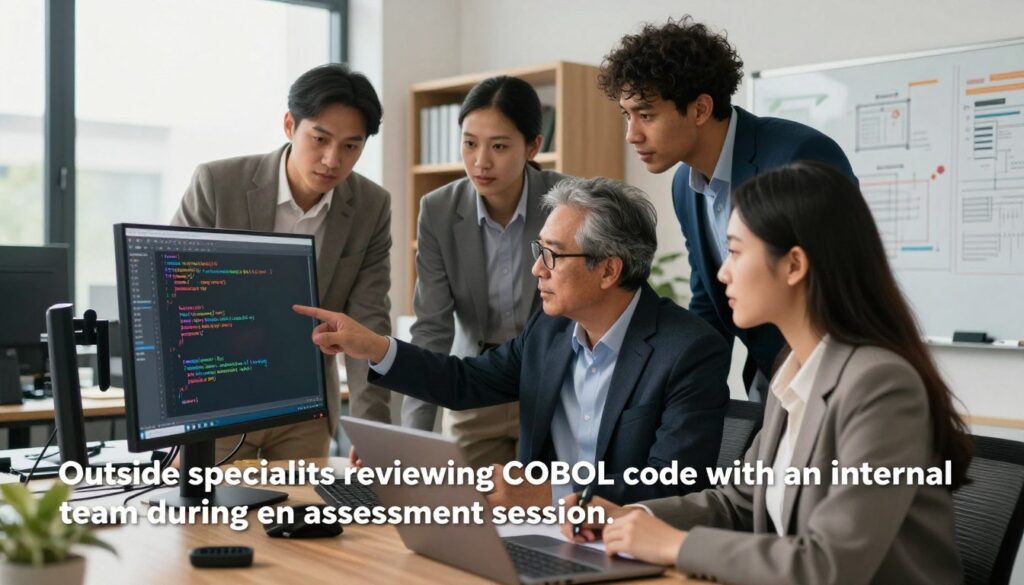
Most engagements follow the same path: assessment, planning, execution, then ongoing testing. Typical work includes an inventory of the applications and strategy advice. It also includes hands-on migration and refactoring, testing and validation, and governance setup so each decision has an owner.
Buying execution before the inventory is complete is a common mistake. Teams pay for code changes to systems nobody has mapped, and the work stalls when a hidden dependency appears. Ask for discovery first. The discovery and strategy services page describes this kind of early work, including measuring return on investment.
Some teams need advice only. They keep their own developers and buy a few weeks of strategy help. A team that wants to talk through a project can send a project inquiry form and describe its current systems.
The right service depends on the path each application needs. That choice comes next.
Choosing a Modernization Path for Each Application
Most portfolios need more than one strategy. A bank may move a reporting tool to the cloud with little change while it rebuilds the loan system. Legacy application modernization strategies differ in speed, cost and depth, so each app needs its own choice.
Pick a path per application, not one path for the whole portfolio. Each app has its own age, owner, risk, and value to the business. A single rule for every app usually fails the hardest one.
Four common options cover most cases:
- Rehost: move the app to cloud servers with little code change. It is the fastest route but gives the fewest cloud-native gains.
- Replatform: make small changes, such as moving to a managed database, so the app runs better in the cloud.
- Replace with SaaS: swap the app for a commercial product that already meets the need. It fits when a product exists for the job, and it leaves little room for custom features.
- Retain: keep the app as it is for now. This works only when the app is stable and low priority.
Teams that decide to build their own product can read about SaaS app development from idea planning through deployment. That is a different path from buying a ready product.
The list above names four paths, but the full set has seven. The next comparison shows how each one trades effort for speed and gain.
The Seven Modernization Strategies Compared
Rehosting is the fastest option, and rearchitecting goes the deepest. The other five fall between those ends. Rehosting usually means moving to a virtual machine with minimal code change, while rearchitecting usually breaks a monolith into microservices.
Refactoring restructures code without altering core behavior. Rebuilding writes the app again on a new base. Replacing swaps the app for a product someone else sells. Each route has a different effort and risk profile.
| Strategy | Effort | Speed | Cloud-native gain | Main risk |
|---|---|---|---|---|
| Rehost | Low | Fastest | Lowest | Old design moves unchanged |
| Replatform | Low to medium | Fast | Some | Hidden fit problems on the new platform |
| Refactor | Medium | Moderate | Some to high | Behavior changes when tests are thin |
| Rearchitect | High | Slow | High | Service breakups that fail under load |
| Rebuild | High | Slow | High | Scope grows and old business rules get lost |
| Replace | Medium | Fast to moderate | Depends on the product | Loss of custom features |
| Retain | None now | None | None | Aging risk keeps growing |
Retaining a system that is unstable is a common mistake. Teams keep an app because change feels risky, then pay for outages and security gaps. Retain only when the app is stable and low priority.
Before picking any row, assess the system. The current state of the app decides which strategy fits.
Assessing the Current System Before Any Change
A nightly batch job nobody remembered can stop a company’s month-end close. One team learned this when a report ran every night and fed the payroll file. No one had listed it, so the first upgrade broke payroll for a full cycle.

A legacy system modernization assessment should give a business value and technical health view for each application. Score each one on how much money or service it supports. Then score how healthy its code, data, and hosting are.
Inventory these items for every application:
- Data stores: the databases and files the app uses, and where each one lives.
- Interfaces: every feed, API, and file exchange that goes in or out.
- Batch jobs: scheduled tasks that run without a user.
- Dependencies: other systems and libraries the app needs to work.
- Owners: the person who approves changes and the person who fixes outages.
- Vulnerabilities and bottlenecks: known security gaps and the slow points under heavy load.
Skipping hidden dependencies is the most common error. Teams map the screens and forget the nightly job, the file drop, and the reporting feed. Walk through a full month of work with the people who run the system.
Once each application has scores, rank them by business value and technical health. The ranking shows which apps to fix first and which can wait.
Managing Technical Debt, Data and Dependencies
A billing system once stored tax rates inside the code. A developer added a quick fix for one state, and the fix worked for a while. Years later, every new tax rule meant editing the same lines, and each edit broke something else.
Technical debt works like a loan. The shortcut gives speed now, and the interest is the extra time each later change takes. Legacy code builds up this debt over the years, and the debt makes every new feature cost more.
Recognizing technical debt in legacy code
Look for copied code, hard-coded numbers, and functions longer than a screen. Ask which parts break most often. Those parts are where the debt costs money now. A quick scan of the bug history often shows the same few files again and again.
Migrating data from incompatible formats
Legacy software can store data in formats the new system cannot read. Old systems often use fixed-width text files, custom codes, or dates stored as plain numbers. Data migration complexity grows with each old format the team must convert.
Map each field before any copy starts. Migrating data without reconciliation is a common mistake. Totals never get checked, and bad records arrive quietly. Compare record counts and sums after each load.
Untangling dependencies between systems
Dependencies link systems in ways nobody drew on a chart. A read-only feed from a stable partner is an exception. If that feed never changes its format, it is safe to leave in place, and the team should only wrap it and watch it.
Debt, bad data, and tangled links can each stop the business for hours. That makes the next question one of risk and downtime.
Keeping the Business Running During the Change
How long can the business run without this system? That answer sets the plan for the whole change. Plan for business disruption during modernization by setting the limits before any cutover date is chosen.

Two targets guide the plan. The recovery point objective (RPO) sets how much data can be lost, measured in time. The recovery time objective (RTO) sets how much downtime is tolerable before the business suffers.
A parallel run is one option. The old and new systems process the same work for a set period, and staff compare the results. It costs more, but it lowers the risk of a bad cutover.
Setting one recovery target for every system is a common mistake. A payroll system may need a recovery time of an hour, while an internal archive can wait a day. Set each target by what the business loses if that app stops.
Once these targets are set, the cost of meeting them becomes the budget question.
Budget, Costs and How to Phase the Work
The first cost question is what the current system costs to keep running. That number is the baseline for every savings claim. Without it, a new cloud bill can look like a cost increase when it is really a shift.
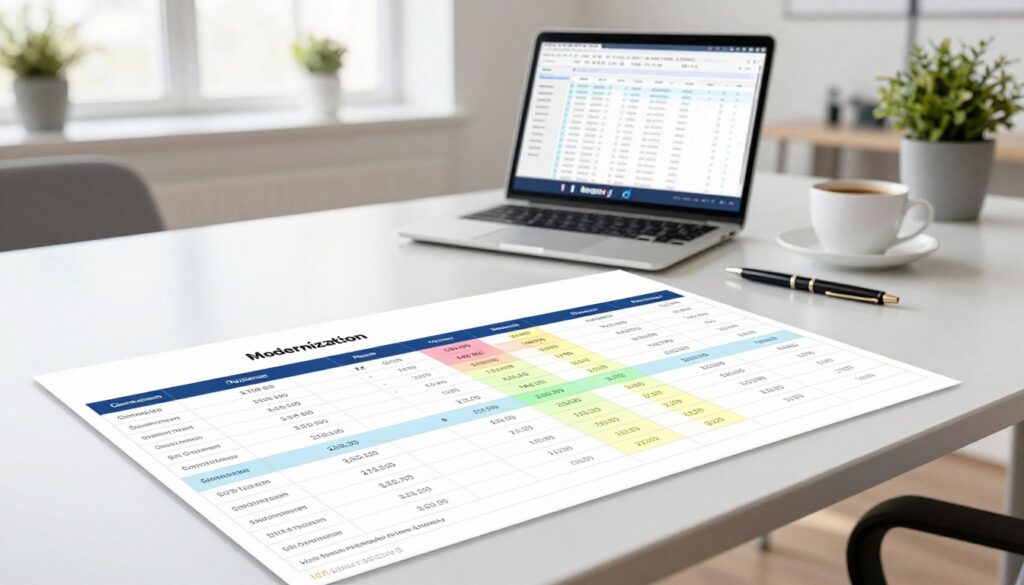
Legacy maintenance can cost an IT department tens of thousands of dollars per year on average. Moving from capital expense to operating expense shifts spending to pay-as-you-use resources. That changes how the budget looks from one year to the next.
Hidden costs to plan for
The table below lists common cost types. Some cost money once, while others repeat every year.
| Cost type | One-time or ongoing | Example | Who pays |
|---|---|---|---|
| Vulnerabilities | Ongoing | Patching an unsupported server | Internal IT |
| Outside experts | One-time | Code analysis during the assessment | Project budget |
| Migration labor | One-time | Developers moving code and data | Project budget |
| Licensing | Ongoing | Yearly database license fees | Operations budget |
| Cloud run costs | Ongoing | Monthly bill for compute and storage | Operations budget |
Teams often miss the ongoing costs. Outside experts are another cost many teams underestimate. A firm offering custom web development can supply hands-on build help when the internal team is short on people.
Phasing the work by business value
Phase the work by business value. Start with the apps that cost the most to change and matter most to revenue. Each phase should end with a working system, not a half-moved one. Scalability costs also matter, because a system that cannot handle peak load may need early attention.
Modernizing legacy with AI can speed up code review. Tools that read old code and summarize it can save days of manual reading. Trusting that summary without testing is a mistake, because the tool can miss business rules that exist only in the code.
Set measurable targets for each phase, such as release time or cost per transaction.
Building the Modernization Roadmap in Order
Start with objectives. Write down what the business needs from the work, such as faster releases or lower hosting bills. Every later step is judged against those goals.
A roadmap covers methodologies, timelines, and resources. It names who does each job and when each phase starts and ends. Planning legacy modernization in this order keeps early choices from being undone later.
Follow these steps in order:
- Set objectives: name the business goals and the target release time.
- Assess: inventory each application and score it.
- Choose a strategy: pick one path for each application.
- Define governance: name owners, approval rules, and security checks.
- Build interfaces through APIs: let new parts talk to old ones without direct links.
- Test: check each step before it goes live.
Starting migration before governance is set is a common mistake. Without owners, teams argue over every change and lose weeks. Teams that want outside help with planning can look at a digital agency that builds digital products.
Governance comes next, and it starts with security rules that apply before any data moves.
Governance, Security and Compliance From Day One
Without a security baseline, moving an old system can expose data on the first day. Legacy security and compliance work starts before the first file is copied. Old systems often lack encryption and modern login checks, and a new cloud host makes those gaps easier to find.
Common compliance standards include HIPAA for health data in the United States and GDPR for personal data of people in Europe. Multifactor authentication and encryption are common baseline controls. The table below lists the controls most teams set first.
| Control | What it protects | Where it applies |
|---|---|---|
| Encryption | Data stored and data moving across networks | Databases, file stores, network links |
| Identity and access management | Who can log in and what each person can do | All users and service accounts |
| Audit logging | A record of who changed what, and when | Admin actions and data changes |
| Multifactor authentication | Accounts with stolen or weak passwords | Staff and admin logins |
| Zero-trust access | Trust on every request, not only at the network edge | Remote and internal access to apps |
Adding security after cutover is a common mistake. Teams move the app, then promise to lock it down later. Later often means never, and the gap stays open during the busiest months.
Once the controls are set, the team can test each step against them. A control only counts if it works under real use.
Testing and Validating Each Modernized Step
Testing decides whether cutover can happen. A step that fails testing stays in the old system until the problem is fixed. Testing legacy applications means proving each change works before users depend on it.
Each step needs more than one kind of test, because each test type proves something different.
Unit, integration and performance testing
These test types each prove a different thing:
- Unit testing: one small piece of code does its job on its own.
- Integration testing: the pieces work when connected to each other and to outside systems.
- Performance testing: the app keeps up with peak load and meets response time targets.
- Regression testing: older features still work after the change.
Testing only the happy path is a common mistake. Teams check the normal order and skip refunds, partial payments, and error cases. Those are the places where old code usually breaks.
User acceptance testing before cutover
User acceptance testing confirms the system meets user needs. Real staff run real tasks, and they sign off only when the work matches how the business runs. One team ran its new billing system beside the old one for two weeks before cutover. Staff compared invoices from both systems each day, and they fixed the rounding differences before the switch.
Once users sign off, the team turns to change management. People need to be ready before the switch, not after.
Bringing Teams Along Through Change Management
The senior engineer has run the billing system for fifteen years. She knows every quirk, and she is the first person the team calls when an odd report fails. Her support matters more than any new tool.
Change management for legacy software starts with early adopters. These are staff who want the change and will test early. Give them a voice in planning and a first look at the new system.
Involve long-tenured staff in planning. They know the hidden rules of the old system and can name the reports nobody lists. Leadership alignment matters too. Managers must agree on the goal and describe it in the same words.
Announcing a change without training is a common mistake. Staff who learn about a new screen on launch day lose hours and trust. Schedule training before cutover, with practice in a test copy of the system.
Change fails when people hear about it after the decision is made.
With people trained and ready, the team can make the final decision about what the business needs next.
Conclusion
The decision in front of you is which path each application should take. Strategy is chosen per application, not once for the whole company. That choice depends on what each system costs to change and what the business needs from it.
Assessment comes first. Without an inventory of data, interfaces, and owners, even the best strategy rests on guesses. Pick the one application that slows releases most, and run its assessment this month.