
Why does a mobile screen that shows only a user name still download the whole profile? The screen has a small data need, but the app asks for much more. Front-end teams run into this problem often, and it slows the app down.
Each client request decides how much data comes back. A REST API and GraphQL handle that request in different ways. The two styles differ in how the client asks for data, how much extra data returns, and how fast the app responds.
Three areas decide the choice: data requests, overfetching, and performance. Each one gets a plain answer below, so you can pick the style that fits your app.
Key Takeaways
- A REST API uses many URLs, and each URL returns a fixed response.
- A GraphQL API uses one endpoint, and the client names the fields it wants.
- Overfetching wastes data and time, especially on slow mobile links.
- Both styles have costs in caching, error handling, and tooling.
- Choose the style by looking at how your front end asks for data.
What REST API and GraphQL Are
REST is an architectural style, not a product. GraphQL is a query language with a runtime, which means a server that reads and runs the queries. Both are ways to build the data layer that apps use over the web.
The REST style comes from Roy Fielding’s 2000 doctoral dissertation, where he set out its rules. In a REST API, each resource has its own URL. The client uses GET to read, POST to create, PUT to update, and DELETE to remove.
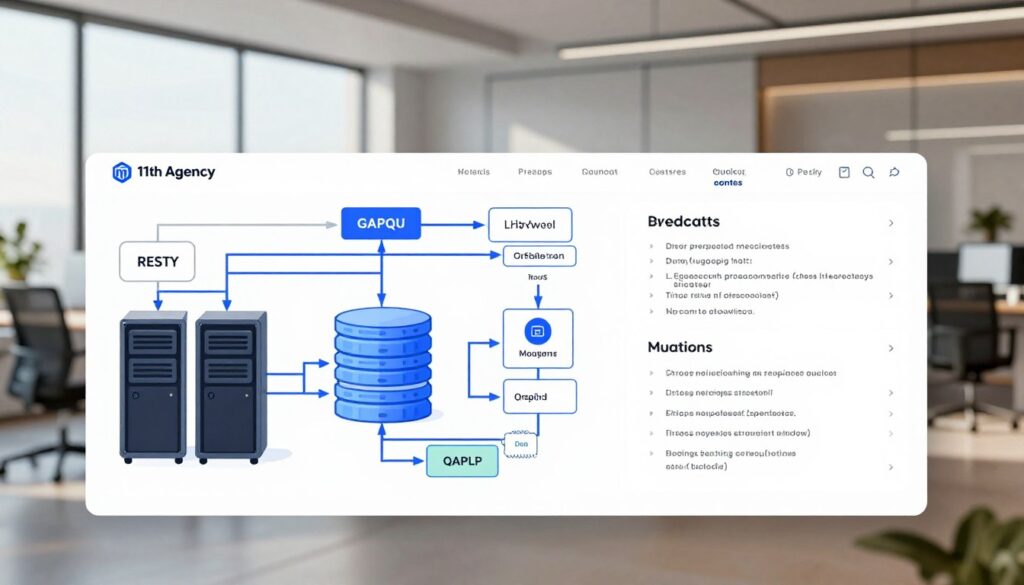
GraphQL was created at Facebook in 2012 and open-sourced in 2015. A GraphQL API has a schema, which is the typed contract that describes what the API offers. A resolver is the function on the server that fetches the data behind one field of a GraphQL schema.
REST describes how to organize resources. GraphQL describes how the client asks for data.
The client writes the shape of its query in GraphQL, so it gets back the same shape. Both styles run over HTTP, the web protocol that apps use to send requests and receive replies. The biggest difference shows up in how each style fetches data, and that is where the comparison starts.
How Each Approach Fetches Data
REST returns the fixed shape of a resource, while GraphQL returns exactly the fields that the query names. Data fetching works differently in the two styles, and that choice affects every screen.
A REST API uses multiple endpoints, one for each resource or collection. Each endpoint sends back the same fields every time. The server decides what goes in the response.
A GraphQL API uses a single endpoint, the one URL that receives every GraphQL request. The client names each field it needs inside the query. The client’s data need decides the answer, not the server’s default.
Teams that build with front-end technologies like React or Vue.js see this difference early. The table below compares the two styles on the points that matter most.
| Point | REST API | GraphQL API |
|---|---|---|
| Endpoints | Many, one per resource | One single endpoint |
| Who picks the fields | The server | The client |
| Response shape | Fixed for each URL | Matches the query |
| Requests for a user with orders | 2 (user, then orders) | 1 query |
REST resources map to URLs, so each URL is one resource. GraphQL resolvers fill each field, so one query can pull data from many sources. The fixed shape is simple, but it has a cost, and that cost is overfetching.
Overfetching and Underfetching in Practice
A REST API often sends more data than one screen uses. A profile screen that shows only a name still receives the address, phone number, and join date. Those extra fields are the over-fetched data, and the client never reads them.
Overfetching is one problem. Underfetching is the other, and it hits REST when a screen needs related records. A screen that shows a user and recent posts makes a second call for the posts. This pattern is called REST request chaining.

Where the Extra Calls Come From
Three signs point to overfetching in a REST API:
- A profile call returns address fields that the screen never shows.
- A list call returns full object bodies when the screen shows only titles.
- A large payload slows the app on a weak mobile connection.
Take a user with recent posts. A REST API needs two calls: GET /users/42, then GET /users/42/posts. A GraphQL query gets both in one request, asking for the user’s name and the titles of five posts.
A GraphQL query can still overfetch. If the client asks for nested fields it never uses, those fields come back too. Failed calls raise a different question: how each style reports that something went wrong.
Error Handling and Status Codes
REST signals failure through the status code, while GraphQL usually returns in the body with a 200 status. A REST API uses HTTP status codes to tell the client what happened. A GraphQL API adds errors to a reply that still reads as a success.
REST status codes tell the client the outcome at a glance. 200 OK means success, 400 means the client sent a bad request, and 404 means the resource is missing. A 500 means the server failed.
A GraphQL error response lists each problem in an errors array. The reply usually carries HTTP 200 OK, even when one field fails. Any data that worked comes back next to the error.
| Item | REST API | GraphQL API |
|---|---|---|
| Success code | 200 OK | 200 OK |
| Client error code | 400 Bad Request | Usually 200 OK, with errors listed |
| Missing resource code | 404 Not Found | 200 OK, field set to null, error listed |
| Where the error appears | Status line, sometimes the body | The errors array in the body |
| Error specification | None standard, each API defines its own | An errors entry defined by the GraphQL spec |
REST has no standard error format, so each API defines its own shape for error messages. GraphQL defines an errors entry, so clients can read errors the same way across APIs. Client code for REST checks the status first and then reads the body.
Client code for GraphQL must check the errors array even on a 200 response. Error codes shape each reply. Caching decides whether a reply travels across the network at all.
Caching Differences Between REST and GraphQL
REST uses the URL as the cache key, so the same address can return the same stored answer. Standard HTTP tools can store and reuse those answers without special setup.
An ETag is a short tag that identifies one version of a response. A browser sends it back with the If-None-Match header. If nothing changed, the server replies 304 Not Modified, and the browser reuses its copy. MDN Web Docs explains the ETag header in detail, with examples of each reply.

Making GraphQL Caching Work
A GraphQL query usually goes out as a POST request to the single endpoint. Shared caches such as CDNs do not store POST responses by default. Every query looks alike to them, so they cannot reuse answers.
Persisted queries fix part of this problem. The client sends a fixed hash that stands for a known query, and the server uses that hash as a cache key. GraphQL caching becomes practical when the hash stays the same across requests.
Response caching on the server takes setup. Teams must decide what to cache, how long to keep it, and when to clear it. Caching helps with reads that repeat. Data that changes live needs a different tool.
Real-Time Updates and Subscriptions
A chat screen or an order-status screen must show new data without a page refresh. REST has no built-in way to push that data to the client, so the app must ask for it again. Live features need an extra method on top of REST.
REST can still deliver live updates through three common options:
- Long polling: the client asks, and the server holds the reply until new data appears. Trade-off: many open requests load the server.
- Server-sent events: the server pushes one-way messages over a single HTTP connection. Trade-off: messages move only from server to client.
- WebSocket channel: both sides send messages over one open connection. Trade-off: the server must manage more connection state.
Real-time GraphQL uses subscriptions. A subscription keeps a connection open, and the server pushes an update when a chosen event happens. The client picks the event and the fields, so each update carries only the data it needs.
Live features also change the tools a team needs. The next question is how much tooling each style brings with it.
Learning Curve, Tooling, and Why GraphQL Is Still Adopted Slowly
REST is easier to learn, while GraphQL asks for a schema, resolvers, and a new query syntax. Most developers already know HTTP verbs and URLs, so they can start a REST API within minutes. GraphQL adds several new ideas at once.
The GraphQL learning curve is steepest for teams that have only built REST services. They must learn how the schema maps to resolvers and how queries are written. REST API tools are older and more numerous, which makes the first week easier.

Security Limits to Set Up Early
The table below compares the two styles on the points that affect daily work.
| Area | REST API | GraphQL API |
|---|---|---|
| Learning curve | Low, uses HTTP verbs and URLs | Higher, uses schema, resolvers, and query syntax |
| Documentation tools | OpenAPI with Swagger UI | GraphiQL and GraphQL Playground explorers |
| Schema definition | Optional, often written in OpenAPI | Required typed schema |
| Testing | curl and Postman | GraphiQL and Postman |
| Code generation | OpenAPI generators | GraphQL Code Generator |
GraphiQL and GraphQL Playground run in the browser, so developers can test queries without extra software. GraphQL needs limits that REST often does not. Query depth and cost limits stop a client from asking for deeply nested data.
Disabling introspection in production stops outsiders from reading the full schema. Teams feel these costs most once the API starts to change, and change is the next challenge.
Versioning and Long-Term Maintenance
REST adds a new URL for each breaking change, such as /v2/users. Old clients keep using /v1 until their apps move to the new address. REST commonly uses URL versions like /v1 and /v2 for this reason.
REST versioning costs teams time in three ways:
- Duplicate endpoints: each version needs its own routes and handlers.
- Old versions to maintain: bug fixes may need to land in more than one version.
- Client migrations: each app must move to the new URL, often on its own schedule.
Changing a GraphQL Schema Safely
GraphQL handles change differently. A team adds a new field and marks the old one as deprecated, so existing clients keep working. GraphQL schema evolution works through adding fields and deprecating old ones.
A team adds a field called displayName. It marks the old field called username as deprecated, with a note to switch. Old apps still run, and new apps read displayName. Most GraphQL teams avoid separate api versions for this reason.
Schema changes still need review. Removing a field breaks every query that asks for it, so teams check usage before removing anything. Teams that map a product roadmap with a SaaS app development company often plan these schema changes early.
Choosing Between REST API and GraphQL for Your Project
REST fits simple, stable resources, and GraphQL fits complex, changing front-end needs. Use REST when each resource maps cleanly to a URL. Use GraphQL when screens combine data from several resources.
REST API vs GraphQL for mobile apps depends on the network and the screens. GraphQL suits mobile and low-bandwidth clients because it cuts round trips. Choose REST API when the data is simple and cacheable, and choose GraphQL when many clients need different fields.
Teams that hire a web development partner can bring this comparison to the first planning call. The table below sets out the best fit for each style.
| Use case | REST API | GraphQL API |
|---|---|---|
| Public API | Strong fit, widely known | Weaker fit, outside developers must learn the schema |
| CRUD backend | Strong fit, simple to build | Extra setup for little gain |
| Mobile front end | Fair, may need extra calls | Good fit, fewer requests |
| Many client types | Often needs separate endpoints | Good fit, one schema for all clients |
| Stable data model | Good fit | Works, but adds setup |
Teams often ask graphql or rest, yet the answer is frequently both. A common pattern uses REST for public exposure and GraphQL as an internal layer over several REST services. The outside world sees stable URLs, while the front end gets flexible queries.
Pick the style that matches how your front end asks for data.
Once the style is chosen, the team still needs a plan for the fields each screen reads. That plan turns the choice into daily work.
Conclusion
The choice comes down to what the front end needs. Neither style is better in every case. REST works well for simple, stable resources, and GraphQL works well for complex front ends with many kinds of client.
The choice depends on how the front end asks for data. A screen that reads one resource may never need a query language. A screen that mixes many sources often does.
The next step is concrete. List the screens your app has and the fields each screen reads. Then compare that list with the fields each REST endpoint returns, and count the gaps in both directions.